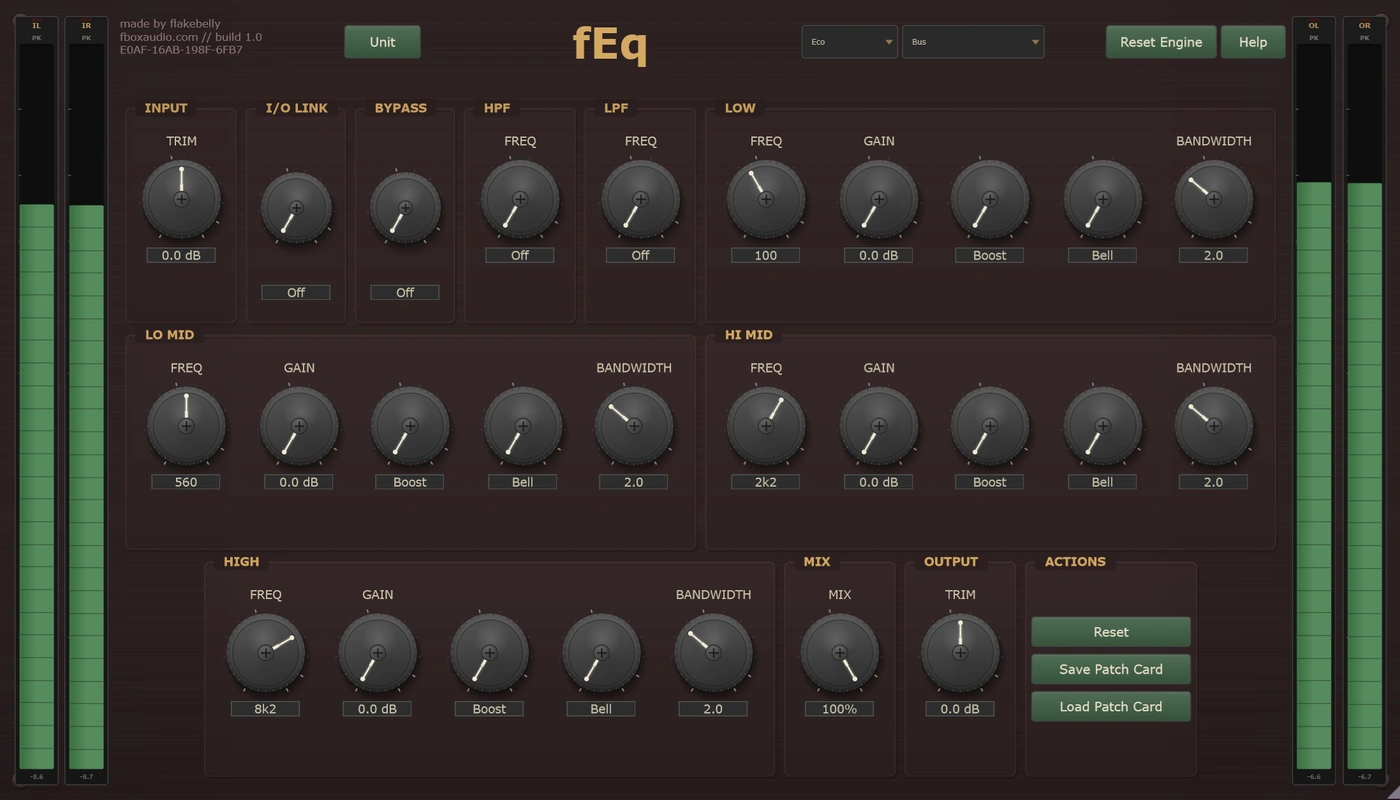
fEq is six different equalisers in one plugin. Not six presets, and not six voicings of the same circuit: six separate machines, each with its own controls, its own layout and its own sound. Pick one from the mode selector and the whole front panel changes to suit it.
One is for removing things. One is for flattering them. One only makes the top end sound expensive. One pushes back when you push it.
Every mode keeps its own settings, so you can move between them freely and nothing you set is lost. Only the selected mode is in the signal path.
Each with its own controls, its own layout and its own sound
If you learn one, learn this
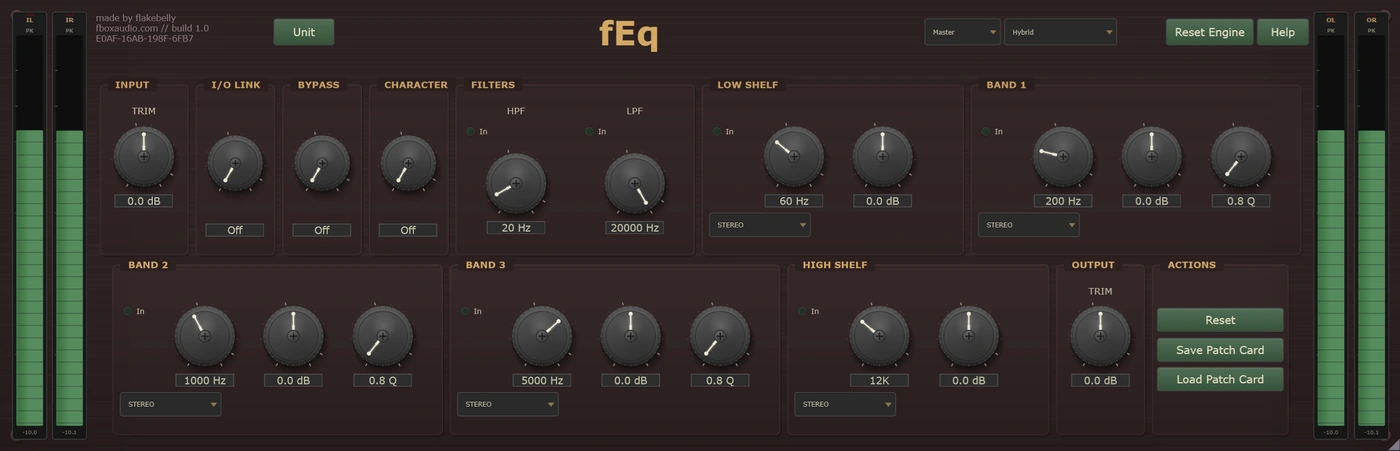
Seven bands wide enough to fix almost anything, each able to work on the whole picture or on just the middle or just the edges. A Character switch decides whether the EQ stays invisible or becomes part of the sound.
Makes things sound bigger
Turn the bass boost and the bass cut up at the same time and the low end grows without turning to mud. Only this kind of circuit does that, and it is why this mode is very hard to make sound bad.
It can only ever add
Two controls, both aimed at the top end. One finds the frequency where a sound speaks and lifts around it. The other opens the space above. There is no cut here, so nothing in this mode can dull a sound.
Takes the problem out
Four bands you can point anywhere, narrow enough to find one ringing frequency and pull it down without disturbing anything either side. The quietest and most precise of the six.
Push it and it pushes back
Transformers and a valve stage in the signal path, so the harder you drive it the more it colours. Boosts tighten as you push them and soften as you back off, so even a big move still sounds deliberate.
It works before you touch it
Put it across your finished mix and it is already doing something: valve and transformer weight running at all times, with every band still flat. The bands are then deliberately gentle, sized for the small moves that help a finished mix rather than the big ones that wreck it.
Two instances of fEq in series, each in the mode that suits its job, is a completely reasonable way to work.
That an ordinary parametric does not
Every band has its own stereo placement. A band can work on both channels, on the centre of the image only, on the width only, or on one side alone. So you can run a mid-only cut and a sides-only lift at the same time, from one instance.
A low cut set to Sides pulls the bass into the centre and stops it smearing. A lift set to Mid brings a vocal forward without touching the room around it. There is no separate mid/side plugin to insert and no matched pair of instances to keep in step.
And the Character switch decides whether the EQ is heard or not. With it off, Hybrid is clean: it does the curve you asked for and nothing else. Switch it on and the unit's own behaviour comes into the signal, and it grows with how hard the EQ is working. One gentle band is barely coloured. Six bands working hard with the input pushed is a different sound entirely.
Character is a Hybrid control. The other five modes carry their character at all times and have no switch for it.
The same toolkit, whichever mode you are in
Level in and level out. In Inductor and Bus the input trim doubles as a tone control, because both saturate in response to level.
Ties the two trims inversely, so you can drive a mode harder for more colour without the level running away from you.
A dry/wet blend, for holding on to the original while a heavier move sits underneath it.
Works in mono on a mono track. Feed it mono into a stereo output and it opens out to stereo, so nothing is lost either way.
Takes the EQ out so you can hear what you have changed, but leaves the trims and the unit's own character in circuit. That makes it an A/B of the EQ curve rather than of the whole box. Use your host's bypass for a completely clean comparison.
Every parameter is automatable from your DAW, and fEq runs anywhere the suite does: on a track in your DAW, in an insert slot in fBox Console or the standalone application, or in a slot in fBox Rack.
Every unit is different. Keep the one you like.
Every instance is minted with its own serial number and its own character, the small manufacturing differences that make this unit sound like this unit and no other.
Set two fEqs to the same 3 kHz presence boost and listen carefully. One sits slightly higher, the other slightly lower. One is a touch wider than the other. The transformers warm the bottom a little differently in each. Push them both and one glows where the other growls. That is not a fault, it is what hardware is: where the bands actually sit, how wide they are, the colour of the saturation and the noise floor underneath it all.
Every new instance can be a different unit, or it can be the one you have chosen to keep. The Unit button beside the serial is where you decide.
Saved units live in your Documents folder, a folder per product, so you can find them, back them up and copy them between machines.
A unit is the character. A patch card is the character plus everything you set on top of it. Save a patch card and it carries the unit it was made on as well as the settings, so loading one back gives you a choice: Recall Unit brings that machine back with it, character and all, while Apply Settings Only keeps the unit you are on now and takes just the knob positions.
You cannot choose a unit's character any more than you can choose the character of a real machine. But you can learn it, and you can keep the one you love.
Hybrid, Passive, Air, Surgical, Inductor and Bus. Each a separate machine with its own controls and its own layout, not a preset.
Every mode remembers its own settings. Move between them freely and nothing you set is lost. Only the selected mode is in the signal path.
In Hybrid, every one of the seven bands can work on stereo, mid, sides, left or right. Run a mid cut and a sides lift together from one instance.
Hybrid can be invisible or part of the sound, and the colour grows with how hard the EQ is working. The other five modes carry theirs at all times.
Passive, Inductor and Bus step their frequencies rather than sweeping them. Fewer choices, chosen well, and the feel of reaching for a switch instead of hunting for a number.
Serial-seeded character throughout the signal path. Roll a new one, save the ones you like, and pin your favourite so every instance opens as that unit.
Works in mono on a mono track, and opens out to stereo when fed into a stereo output. Nothing is lost either way.
Eco for tracking and dense sessions. Studio for mixing. Master for final mixes and mastering.
14-day free trial included - no payment required
The zip holds the plugin, a one-page start guide and the PDF manual. New to this, or not sure where a .vst3 goes? Read the install guide.
Also available in The Processors, The Full Outboard Suite and The Full Studio