Records have been made on tape for more than fifty years, and tape is not a neutral thing to record onto. It rounds the peaks, adds weight at the bottom, softens the top, and never quite holds a steady speed. Most of what people mean when they say a record sounds warm is tape.
fTape is six different machines, not one machine with six settings. A cheap reel-to-reel from a living room. A compact cassette. A semi-pro deck on narrow tape. A precision broadcast machine. A wide-format professional studio deck. And a vintage studio machine from the middle of the 1960s.
Every machine keeps its own settings, so you can try another and come back to find the first exactly as you left it.
The machine is the instrument
You will hear it straight away
A domestic reel-to-reel from a living room rather than a studio, and it behaves like one: a big warm lump at the bottom, a top end that gives up early, plenty of hiss and a transport that wanders. Two speeds, and the whole personality hangs off that switch.
Hissy, watery, unmistakable
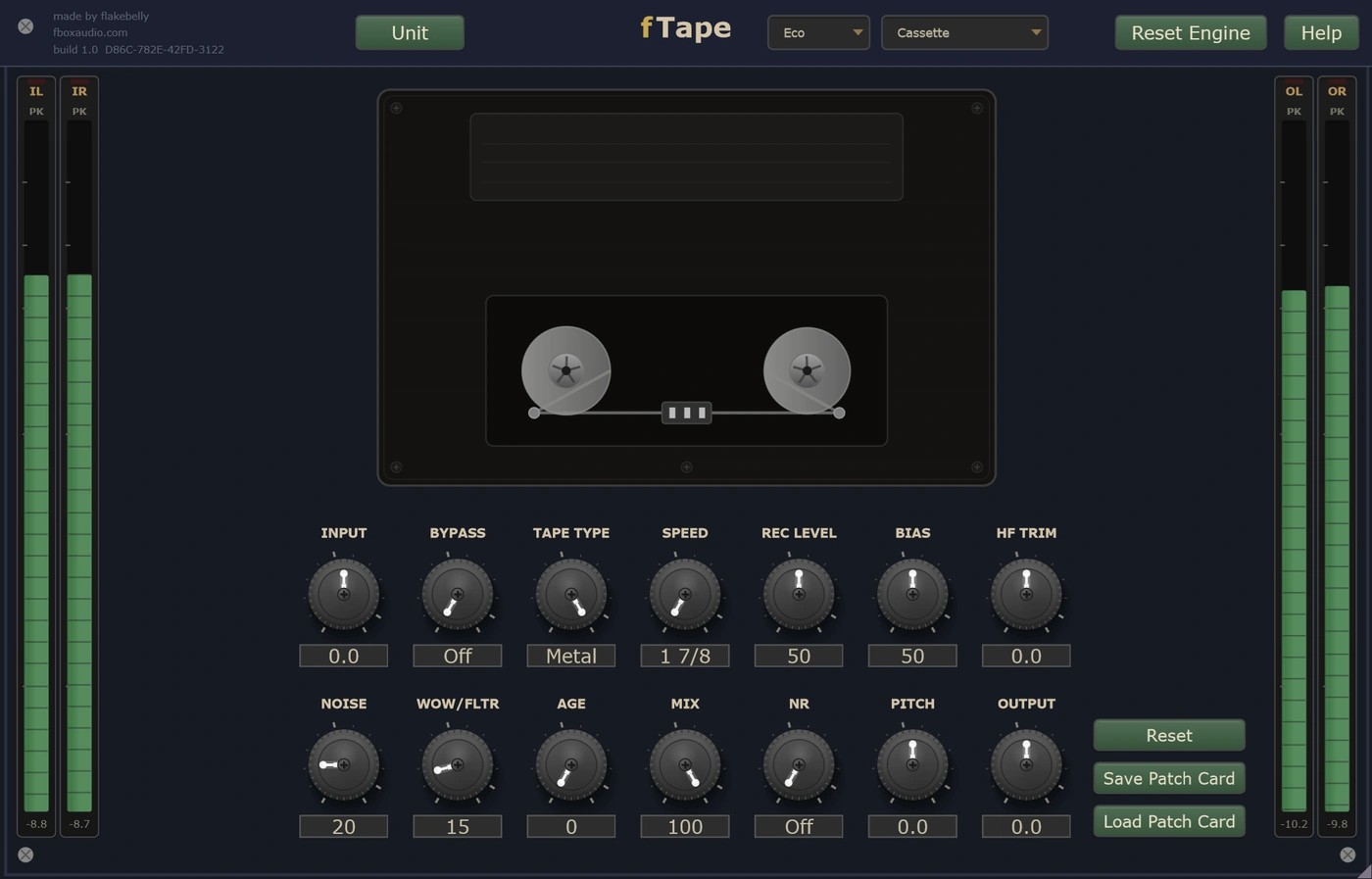
The narrowest tape here running at the slowest speed, with the most hiss and the least stability of anything in fTape. Three tape formulations, from cheap and mushy to clean and wide. Switchable noise reduction, complete with the tracking errors that came with it.
The home studio sound
Narrow tracks on quarter-inch tape, which means early saturation, more hiss, and audible bleed between the channels. More grip than a consumer deck and more grit than a studio one. A pitch wheel bends it a full octave either way, and the tape character follows.
Tight, quiet and clean
The precision machine that sat between the home studio and the professional one. It holds speed properly, the noise floor drops away, and a separate playback head softens the very top rather than dulling it. The only machine here with no bleed between channels at all.
The expensive one
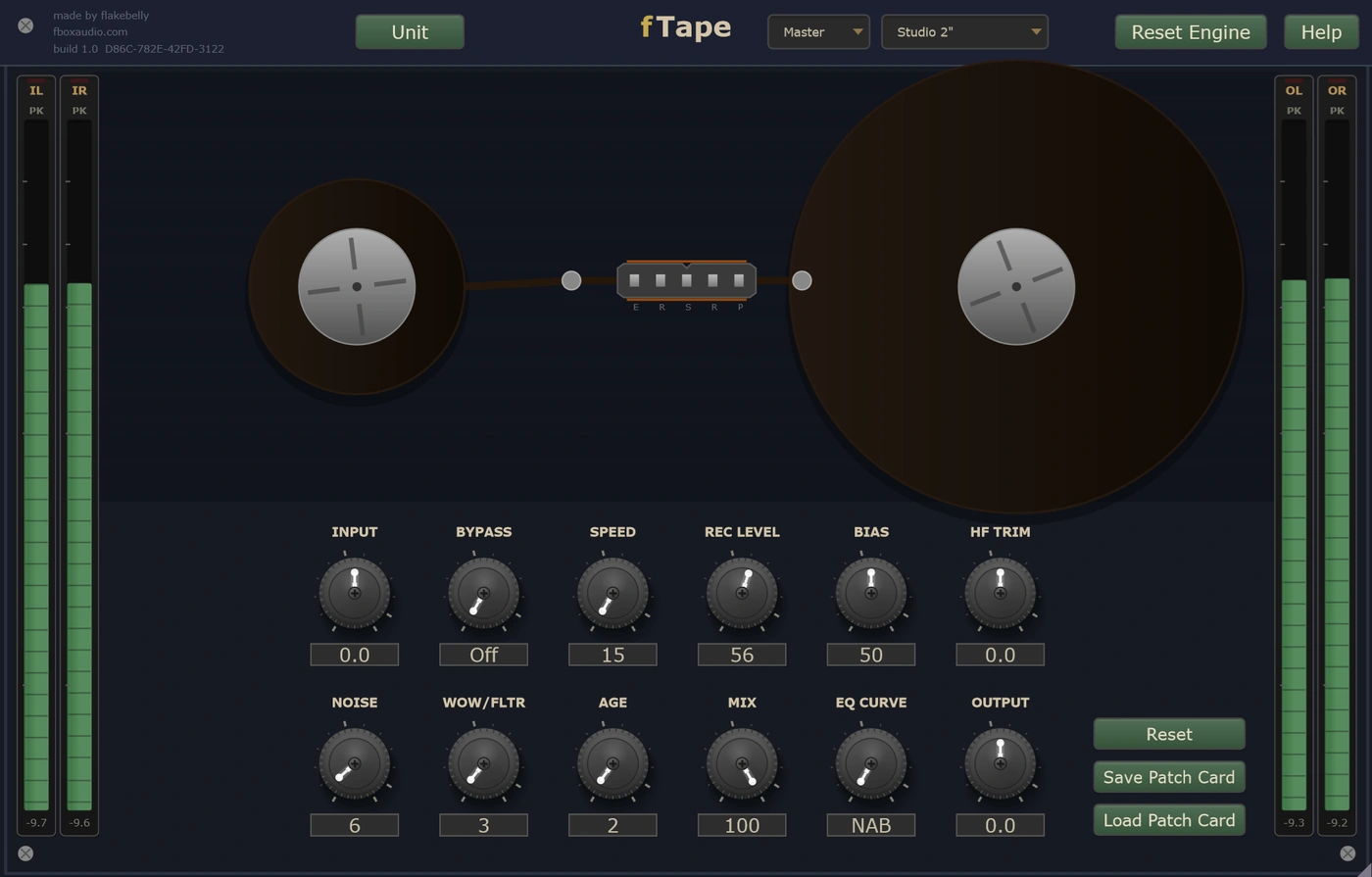
Wide tape, the most headroom of the six, and transformers on the way in and out that account for a good deal of the sound. Push it hard and it thickens rather than dirties. This is the machine behind a great many classic records.
Dark, soft and alive
A studio machine from the middle of the 1960s, and the least accurate thing here by a wide margin. Heavy transformers, early solid-state electronics with an edge of their own, soft heads, and a bandwidth that runs out early. Coloured at every setting.
Every one of these is a starting point, not a fixed sound. The descriptions above are how each machine arrives, not what it is stuck as. Turn the hiss off and the cassette goes quiet. Take the wobble to zero and the transport holds rock steady. Pull the bias back and the darkest machine here brightens up. Every part of what makes a machine sound like itself is on a knob, so you can keep the character you wanted and leave behind the parts you did not.
The way it does on real tape
Driving the record level harder does not just add more distortion, it changes the kind of distortion you get. Low settings come through comparatively clean and quiet. Push it and the machine saturates, compresses and thickens, and the sound moves rather than simply getting dirtier.
Bias is the interactive one. On a real machine it is a calibration control, and moving it away from the middle reshapes the top end, the saturation and the magnetic behaviour all at once. Under-biased is brighter, harder and grittier with a touch more noise. Over-biased is darker, smoother and more controlled. Small moves count.
The wobble comes from a modelled transport rather than an oscillator, so the slow wander and the faster shimmer on top of it never repeat the same way twice. The hiss and the motor hum sit under everything. And the low-end bump sits where a playback head would put it, which moves as you change speed.
The Age knob decides whether the reel is fresh out of its box or has been round the block. Wind it up and dropouts start to appear, the top end loses a little more, the noise comes up, the channels start leaking into each other, and a faint ghost of the audio prints through from the layer of tape wound next to it.
The transport is drawn on the panel and it follows your DAW. Reels for the five reel machines, a cassette shell for the sixth. They turn while the song plays and stop when it does, run faster at the faster speeds, slow down when a machine is pitched down, and the tape pack moves from one reel to the other as the song goes on.
The same toolkit, whichever mode you are in
The main control: how hard the record head is driven. It changes the colour and the level together, so reach for the output trim after you move it.
The calibration control, and the most interactive knob here. It moves the top end, the saturation and the magnetic character all at once.
Hiss and motor hum on one knob, transport instability on another. Take them to zero for a silent, rigid machine, or wind them up until it is openly seasick.
Brightness after the tape. Put back some of what the tape took off, or push it further down.
How much life this tape has had. Fresh out of the box at zero, and by the top there are dropouts, print-through and channels leaking into one another.
Keeps your original signal intact and sits the tape underneath it. The way to get the weight and the warmth with the transients still in front.
Mutes the tape machine but leaves the trims and the unit's own noise floor in circuit, so the level does not jump as you compare. Use your host's bypass when you want a completely clean one.
Every parameter is automatable from your DAW, including the mode selector itself, and fTape runs anywhere the suite does: on a track in your DAW, in an insert slot in fBox Console or the standalone application, or in a slot in fBox Rack.
Every unit is different. Keep the one you like.
Every instance is minted with its own serial number and its own character, the small manufacturing differences that make this unit sound like this unit and no other.
Every tape machine has its own voice, and so does every fTape. One is a little warmer at the bottom. Another holds the top end a fraction longer. The point where the tape starts compressing sits at its own place, and the wow and flutter have their own rhythm. It is the same model, but it is not the same machine.
Every new instance can be a different unit, or it can be the one you have chosen to keep. The Unit button beside the serial is where you decide.
Saved units live in your Documents folder, a folder per product, so you can find them, back them up and copy them between machines.
A unit is the character. A patch card is the character plus everything you set on top of it. Save a patch card and it carries the unit it was made on as well as the settings, so loading one back gives you a choice: Recall Unit brings that machine back with it, character and all, while Apply Settings Only keeps the unit you are on now and takes just the knob positions.
You cannot choose a unit's character any more than you can choose the character of a real machine. But you can learn it, and you can keep the one you love.
Home Deck, Cassette, Multitrack, Broadcast, Studio 2 inch and Heritage. Each a separate machine with its own controls, not a preset.
Each machine arrives with its own character, and every part of that character is on a knob. Keep what you wanted and turn off what you did not.
Every machine remembers its own settings. Try another and come back to find the first exactly as you left it.
Most machines have two, and the switch moves the low bump, the top end, the noise, the saturation and the stability together.
Broadcast and the two studio machines offer switchable playback curves, from warm and full underneath to tighter and leaner.
Dropouts, extra high-frequency loss, more noise, more bleed between channels, and a ghost of the audio printed through from the next layer of tape.
Reels for the five reel machines and a cassette shell for the sixth, turning with your DAW and moving the tape pack as the song plays.
Serial-seeded character throughout the tape path. Roll a new one, save the ones you like, and pin your favourite so every instance opens as that unit.
Eco for tracking and dense sessions. Studio for mixing. Master for final mixes and mastering.
14-day free trial included - no payment required
The zip holds the plugin, a one-page start guide and the PDF manual. New to this, or not sure where a .vst3 goes? Read the install guide.
Also available in The Character Tools, The Full Outboard Suite and The Full Studio