Reverb is the sound of somewhere. It is what tells you whether a voice was recorded in a cupboard, a church or a car park, and it is the difference between a track that sounds assembled and one that sounds like it happened.
fVerb is eight different kinds of somewhere. Real spaces, studio machines that were never spaces at all, and a few that no room could produce. From a small room you barely notice through to a machine coming apart.
Every mode keeps its own settings, so you can try another and come back to find the first exactly as you left it. The two filters and the ducking section are the exception: they are one setting shared by all eight modes, and they stay where you put them.
The mode is the instrument
Puts a sound somewhere
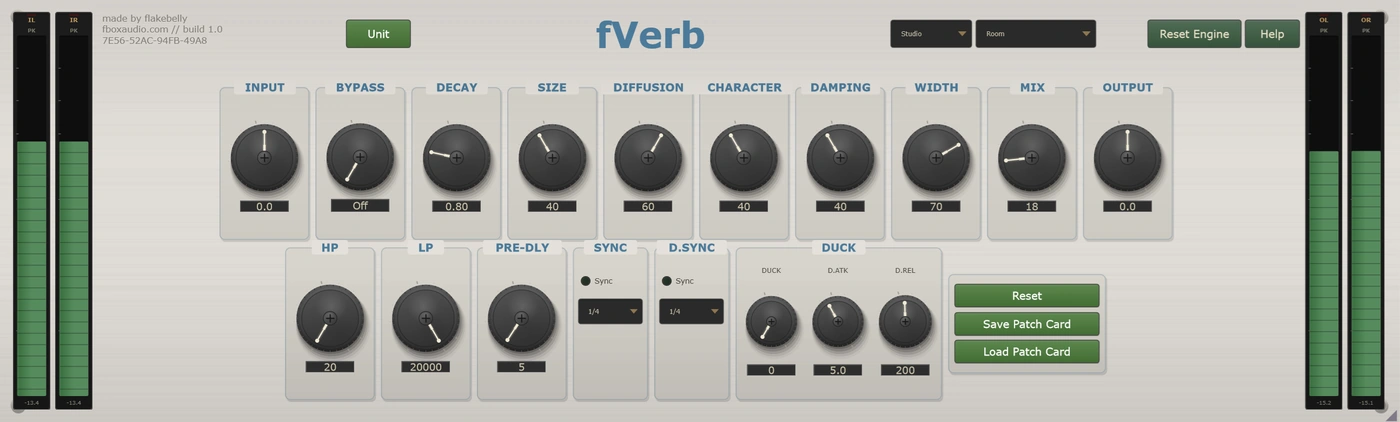
A natural small-to-medium room, for when something arrived too dry and you want it placed rather than obviously treated. Move the walls further apart, decide how live or how carpeted the space is, and it stops sounding like a plugin.
Air rather than a room
Large, long, slow to build and slow to leave. It holds its low end the way a real hall does instead of thinning out, and past a certain length you have stopped making a space and started making weather.
Dense from the first instant
A large sheet of metal driven at one end and picked up at the other. No early reflections at all, because there is no room in this sound: it is a sheet ringing. That is exactly why it has always flattered voices.
The boing, the drip, the rattle
A spring tank with all of its bad behaviour intact. Choose how many springs are in it, how hard they are driven, and how much it splashes when something hits it hard. Low settings are a polite tank; high is the sound of kicking the amplifier.
The room down the corridor
A speaker at one end of a hard room and a microphone at the other. Warmer and slower than Plate, more intimate than Hall, and the most natural-sounding mode here. You can even decide what the walls are made of.
Turns a tail into a chord
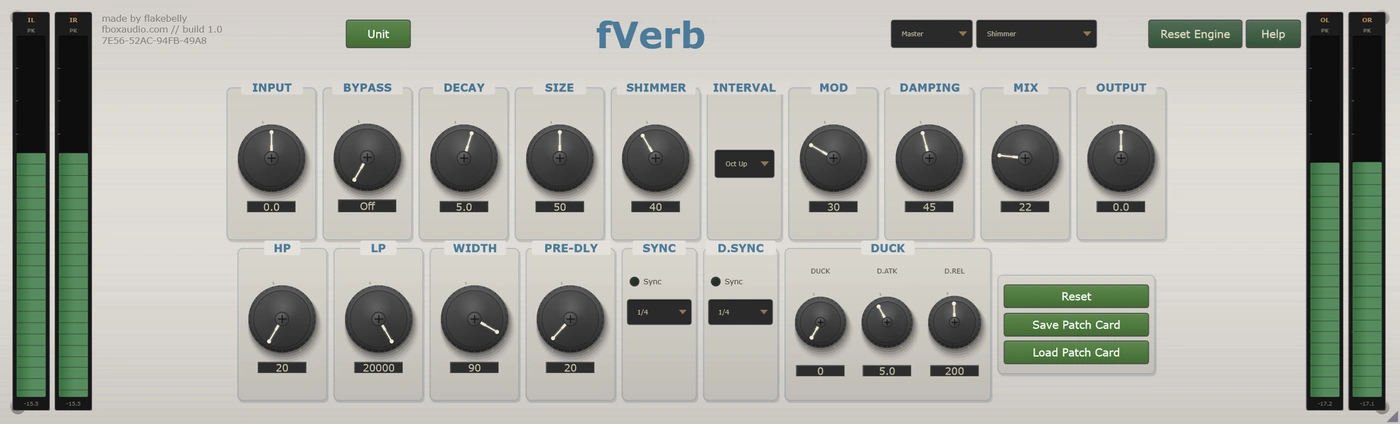
Pitched harmonics rise through the tail and feed back on themselves, so what starts as reverb slowly becomes music. Six intervals, from the classic octave up to downward ones that go somewhere much stranger.
It does not fade, it stops
The tail is shaped by an envelope instead of a room. Hold it flat and cut it off dead, build it backwards from nothing, or let it swell and fall away. This is where the drum sound of the 1980s came from.
Recovered, not recorded
A reverb that has been through something. The damage happens inside the feedback path, so it accumulates on every pass and the tail gets progressively worse as it fades, exactly like a copy of a copy. Wobble and random stutter on top.
Ducking, on every mode
The usual problem with reverb is that the more you add, the less you hear the thing you added it to. A long tail on a busy vocal buries the words it came from.
So every mode here can duck. The reverb pulls down while the source is playing and comes back up in the gaps, so the tail fills the spaces between lines instead of sitting on top of them. You decide how fast it gets out of the way and how fast it returns, and you can lock that movement to your tempo so it pumps on the beat rather than on the singing.
It can also listen to something else entirely. Feed another track in and the reverb ducks to that instead, which is how you keep a tail clear of something it is not even attached to.
Two filters sit on the reverb alone, so they shape the space without touching your dry signal. Pulling the high-pass up to a couple of hundred hertz stops the tail muddying the low end while the source stays full, and it is the single most useful control on the page. Bringing the low-pass down pushes the whole space further away.
Pre-delay sets the gap between the sound and its reverb. A small amount keeps the source clear and forward. A larger one pushes the space away until it reads as a separate event rather than part of the sound, and it can be locked to your tempo so the tail arrives on a note division instead of wherever it lands. Locked, it reaches far past the knob: every division lands exactly at any tempo down to 40 bpm, and the longest of them is a full nine seconds.
The same toolkit, whichever mode you are in
The balance between your dry signal and the reverb. The defaults differ per mode, because an ambient room wants far less of itself than a shimmer does.
The gap before the space arrives. Half a second on the knob, or lock it to your tempo and the longest division runs to nine seconds. Fifteen of them, dotted and triplet included.
Filters on the reverb only, so you can thin or darken the space without thinning or darkening the source.
On every mode, with its own attack and release, a tempo-locked option, and a sidechain input so it can duck to another track.
Mutes the reverb but leaves the trims in circuit, so the level does not jump as you compare. Use your host's bypass when you want a completely clean one.
Every control is automatable from your DAW, including the mode selector itself. The one exception is the Quality selector, which is a CPU setting rather than a mix control and is deliberately kept out of the automation lanes. fVerb runs anywhere the suite does: on a track in your DAW, in an insert slot in fBox Console or the standalone application, or in a slot in fBox Rack.
Every unit is different. Keep the one you like.
Every instance is minted with its own serial number and its own character, the small manufacturing differences that make this unit sound like this unit and no other.
Spring is where you will hear it most. Real spring tanks are wildly inconsistent, and so are these: put two side by side and one is boingy and bright while the other is darker and better behaved. Across the other modes it is quieter but still there, in how the early reflections land, how fast the tail darkens and the texture of the space itself.
Every new instance can be a different unit, or it can be the one you have chosen to keep. The Unit button beside the serial is where you decide.
Saved units live in your Documents folder, a folder per product, so you can find them, back them up and copy them between machines.
A unit is the character. A patch card is the character plus everything you set on top of it. Save a patch card and it carries the unit it was made on as well as the settings, so loading one back gives you a choice: Recall Unit brings that machine back with it, character and all, while Apply Settings Only keeps the unit you are on now and takes just the knob positions.
You cannot choose a unit's character any more than you can choose the character of a real machine. But you can learn it, and you can keep the one you love.
Room, Hall, Plate, Spring, Chamber, Shimmer, Nonlinear and Lo-Fi. Each a separate engine with its own controls, not a preset.
Every mode remembers its own settings. Try another and come back to find the first exactly as you left it.
The tail steps aside while the source plays and returns in the gaps, with its own timing, a tempo-locked option and a sidechain input.
Thin or darken the space without touching the dry signal. The high-pass is the fastest way to stop a tail muddying a mix.
Note divisions from a whole bar down to a sixteenth, with dotted and triplet versions, so the space lands with the song. Fifteen in all, exact down to 40 bpm, where the longest reaches nine seconds.
From the classic octave up through fifths and thirds to downward intervals that turn a tail into something much stranger.
Serial-seeded character throughout. Roll a new one, save the ones you like, and pin your favourite so every instance opens as that unit.
Eco for tracking and dense sessions. Studio for mixing. Master for final mixes and mastering.
14-day free trial included - no payment required
The zip holds the plugin, a one-page start guide and the PDF manual. New to this, or not sure where a .vst3 goes? Read the install guide.
Also available in Time and Space, The Full Outboard Suite and The Full Studio